02 · AI · CREATIVE DEVELOPMENT · 2026

The Portfolio

Design portfolio · July – October 2026
100% designed with AI

One brand, one app, one mascot. And a few side projects along the way.

Everything designed for SkillxTube and its satellites: identity, landing page, dashboard, community, pricing, demo paths and characters. All of it was designed and produced with AI, with no design software: I direct and decide, AI draws and codes. Every screen went through the same loop: HTML preview, visual review, then integration in Cursor.

12
design projects
4
published demo paths
73
community resources
25
reactions for Zip
00 · Design evolution

From neo-brutalism to the live site

Four months of iterations. Each step took something away: hard shadows, then gradients, then color everywhere. What's left: one red, black, white, and a small character for warmth.

See it live
  1. Learn fastStart
    01 · July – AugustNeo-brutalismThick borders, hard shadows, saturated red and blue. Playful, but too loud for a product people pay for.
  2. The problemLearn skills in days,
    not months.
    02 · AugustGetting seriousLight gray background, white cards, black headlines with a single word in red. Then merged with the ShipFast structure.
  3. gold podium
    #1red outline
    03 · AugustNo more “Christmas tree”A dashboard that feels like an analytics tool: monospace numbers, black bars, color reserved for the active element.
  4. 0 gradients0 shadows0.5 px hairlines12 radiusblack pill CTA
    04 · SeptemberThe rules lock inThe rules become non-negotiable and go into every Cursor prompt. Pricing moves to three cards, Orchestra style.
  5. sketch
    3Dcreepy
    Zip, the red mascotcute, approved
    CC, the purple subtitles characterDing, the yellow notification bell
    05 · OctoberZip and the gangSketch, a 3D test that felt creepy, back to cartoon. We keep it cute: “a little cuteness in this world”.
  6. Turn any YouTube video into real life projectsOne skill. One next step. Every day. Until something exists.
    3 days7 days14 daysGenerate
    06 · October · liveskillxtube.com todayA generator right in the hero, a “Meet Zip” section with his expressions, and a “SkillxTube for AI agents” block.
Next step2006-2012 internet nostalgia : making Zip's world a little less childish, drawing on the internet of that era rather than Windows 95 or 8-bit retro.
01 · Identity

The SkillxTube system

A red badge with a white bolt, five colors, two typefaces. The rules got stricter screen after screen until they became non-negotiable in every Cursor prompt.

LogoGuidelinesPWA icons
SkillxTube logoSkillxTube
PWA icon · app · XP token
#FF4D4D · action
#75AFF3 · info
#FBB1A9 · soft
#FFE8EA · tint
#2F4858 · ink
Headlines
Nunito Black
Numbers
JetBrains Mono
No gradientsNo drop shadowsNo emoji in data0.5 px hairlines12 px radiusSentence caseblack pill CTA
01.1 · Logos

The logo and its variants

SkillxTube logoSkillxTube
Primary logo · light background
SkillxTube logoSkillxTube
Reversed logo · dark background
SkillxTube icon
Icon only · app, PWA, XP token
SkillxTube icon at 128 px128 px
SkillxTube icon at 64 px64 px
SkillxTube icon at 32 px32 px
SkillxTube icon at 16 px, favicon size16 px · favicon
Clear space: half the icon's width around the logo. The circle is always red #FF4D4D, the bolt always white. Never an outline, a shadow or a gradient.
01.2 · Brand guidelines

Colors, typography, components

Red
#FF4D4D
Logo, accents, active state
Blue
#75AFF3
Information, subtitles
Peach
#FBB1A9
Illustrations, Zip
Pale pink
#FFE8EA
Tinted backgrounds, selection
Ink
#2F4858
Secondary text
Typography
AaNunito 900 · headlines
Learn skills in daysNunito 700 · body
950 XPJetBrains Mono · numbers
Components
Primary buttonSecondaryBadge
Streak6
Card: white background, 0.5 px #D8D6D0 hairline, 12 px radius. Buttons always pill-shaped. Color reserved for the active element.
How it's made

Zero Figma. All of it came out of AI.

Logo, guidelines, mockups, mascot, resources and code: every piece of this portfolio was generated by AI, then picked, critiqued and refined by me. My role: art direction, references and the final call.

Claude
HTML previews, mockups, mascot, PDF and Excel resources
Cursor
Integrating screens into the Next.js app
Claude Code and Desktop
Stripe, database, content imports
Grok
Strategy, research and QA bots
02 · Marketing site

The landing page, in three molts

A neo-brutalist first draft (thick borders, hard shadows), then a calmer version on a light gray background with white cards, and finally a blend with the ShipFast structure: hero, problem, features accordion, pricing, FAQ.

The features accordion set a rule used everywhere since: color only appears on the active element.

HeroComparisonFeatures accordion
skillxtube.com
How it works
Learn skills in days,
not months.
Turn YouTube videos into a structured path with daily exercises and quizzes.
Without SkillxTube
40 open tabs
No plan, no proof
Quit on day 3
With SkillxTube
One video a day
One exercise with proof
One quiz to lock it in
Turn YouTube into a structured course
Streaks, XP and credits
Community spaces
Live version
Going dark

The “The problem” section moves to a black background: a Without / With SkillxTube comparison, a single word highlighted in red, and Thumby as a sticker in the corner.
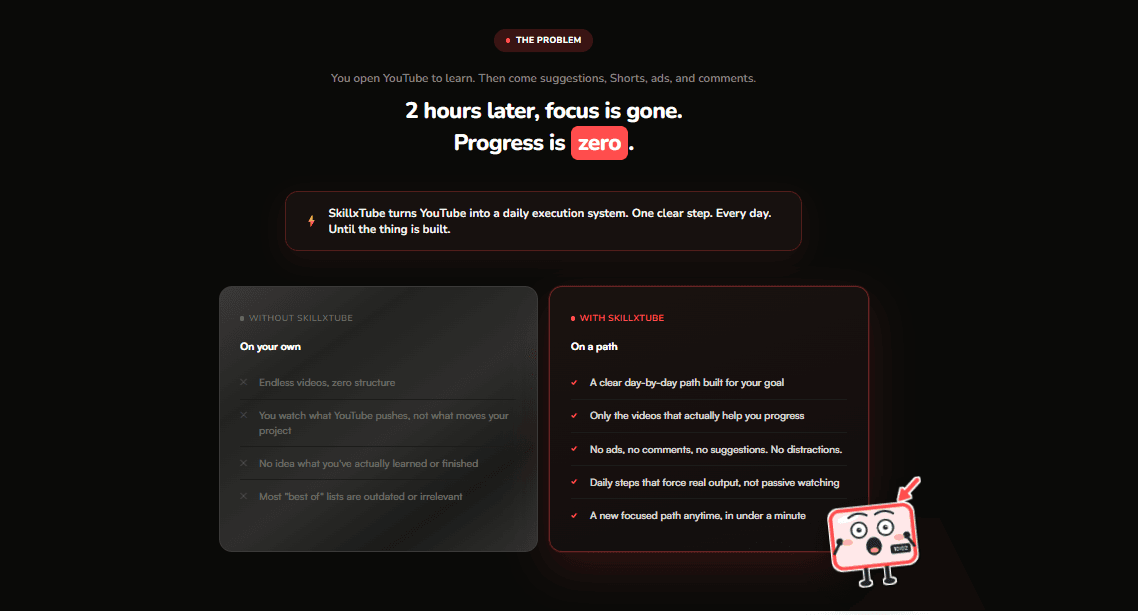
The “The problem” section on a dark background: 2 hours later, focus is gone, a Without / With SkillxTube comparison and Thumby as a sticker
03 · App

The dashboard: one button that matters

Brief: “one primary CTA dominates”. Everything else steps back. The right column was then stripped down like an analytics tool: black monospace numbers, black progress bars, green reserved for “done”.

TodayTimelineFramer Motion
Hey AlexTikTok Growth · streak 6 · 950 XP
Day 4 of 7
Post your first optimized video
~15 min · Watch + Do
Continue Day 4
D1
D2
D3
D4
D5
D6
D7
6
Day streak
950
Total XP
All paths
TikTok Growth57%
Video EditingDone
04 · Gamification

Wall of Fame, the quiet version

V1 had a gold, silver and bronze podium. Verdict: “Christmas tree”. V2 keeps white cards with thin hairlines: #1 stands out only through a red border and a slightly larger size, and the rank is set in monospace.

The top 3 win Skill Credits every Monday: 500, 300, 150.

#2
[Learner 2]
+300 credits
#1
[Learner 1]
+500 credits
#3
[Learner 3]
+150 credits
Top 3 win Skill Credits every Monday.See full ranking
05 · Community

One space per skill

Space switcher (from three to ten), collapsible channel groups, pinned posts, a clickable events calendar. Locked channels unlock with credits, through a popup that sends you to the shop when your balance is too low.
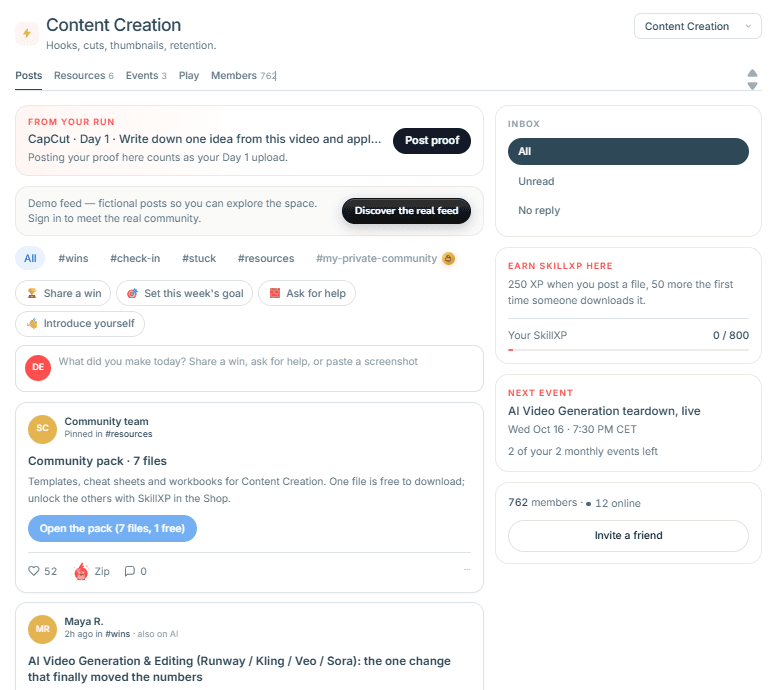
Space switcherUnlock modalEvents
SkillxTube community space Content Creation: posts feed with filters, a pinned community pack, inbox, SkillXP, next event and members
05.1 · Bug reports

Report a bug, from any screen

The Report a bug modal, open from any screen of the app and the demo.

  • 4 categories and 3 severity levels
  • Only the browser name and screen size are attached
  • Admins get an email, and a confirmed report can become a GitHub issue
  • Bot protection and an hourly limit
  • The email is deleted when the report is closed, or after 90 days
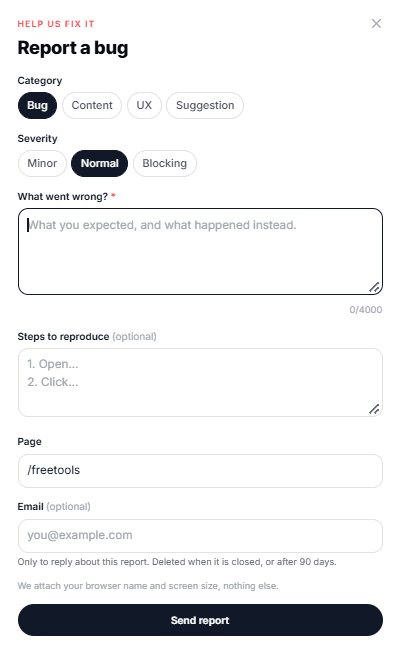
SkillxTube Report a bug modal: category, severity, what went wrong, steps to reproduce, page and optional email
06 · Pricing

For makers: free, or generate

First a 7-step credit slider, then three Orchestra-style cards. Today, two cards on a dark background: the library is free, you only pay to generate a custom path.

The Generate card carries a 3, 7 or 14-day picker, and the pay once / monthly toggle stays on top.
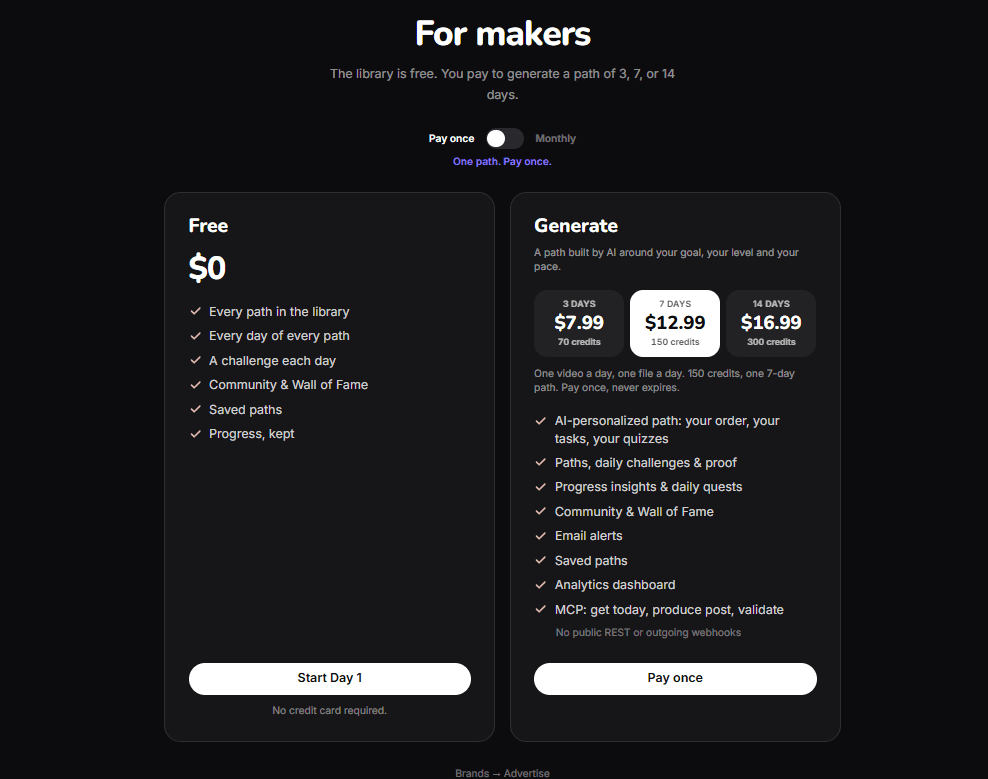
Free · $03 days · $7.997 days · $12.9914 days · $16.99
For makers pricing section on a dark background: a Free card at $0 and a Generate card with a 3, 7 or 14-day picker
skillxtube.com · For makers
07 · Leaderboard

Maker Projects

A flame-based ranking voted by learners: free, no pay-to-win. A three-card podium with #1 on a dark card, then the list, filterable by “All-time” or “Last 30 days”.

On each side, five bookable “Feature your channel” cells, clearly marked as sponsored and with no effect on the ranking.
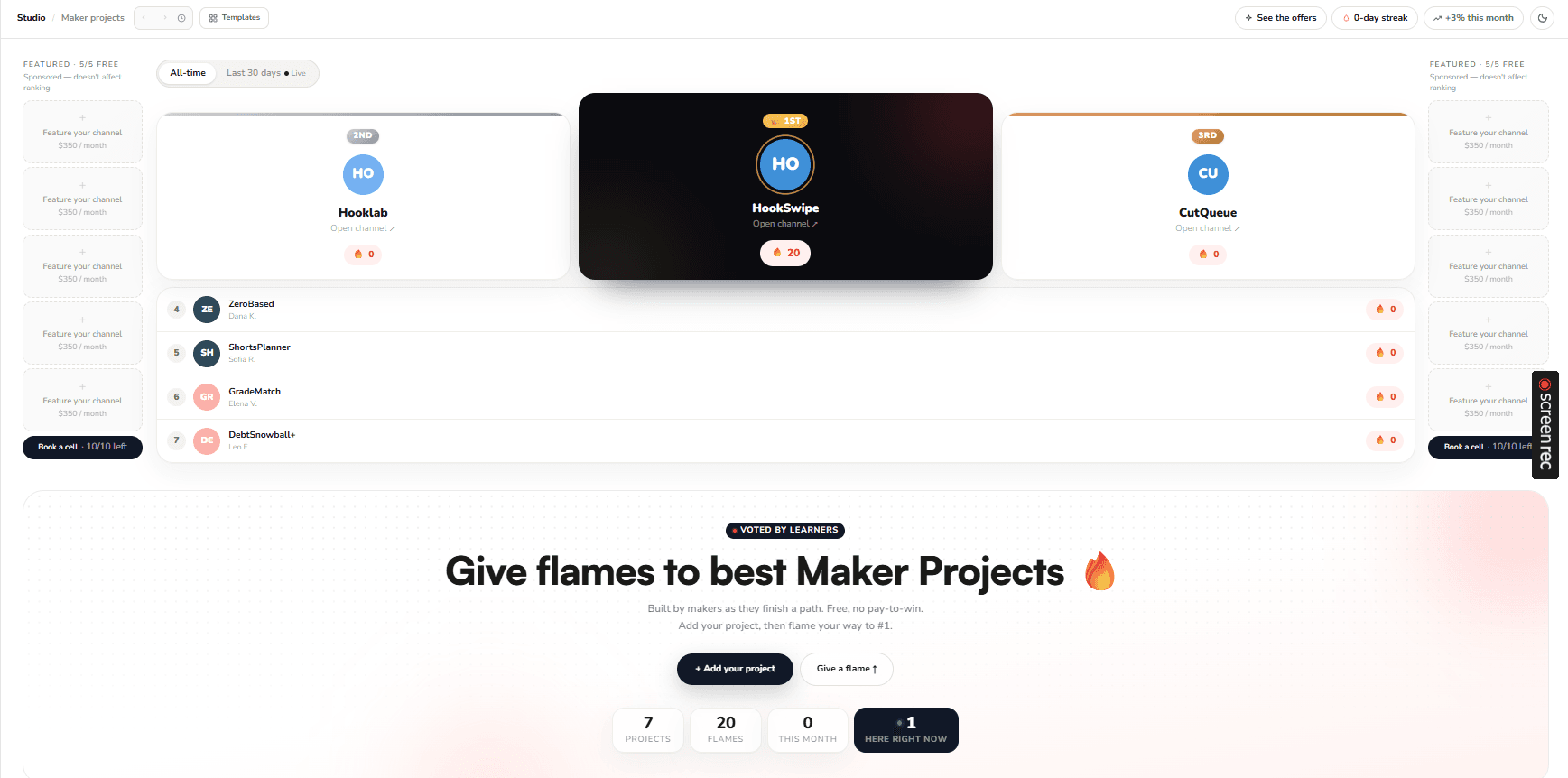
Maker Projects leaderboard: a three-card podium, the filterable list and the sponsored side cells
Studio · Maker projects
08 · Affiliates

Affiliate sign-up as a conversation

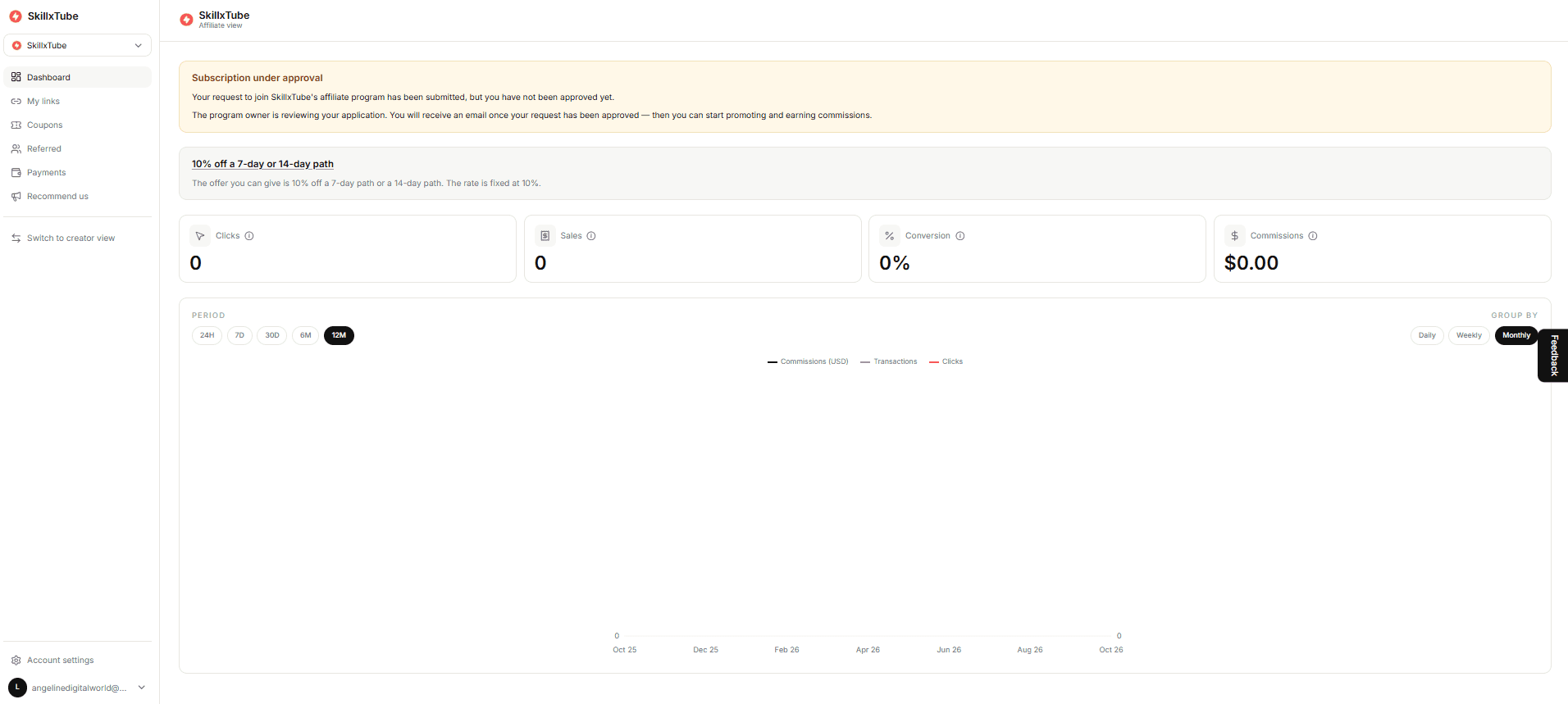
“Recommend once. Get paid every month for a year.” Applying happens in a chat: name, where you'll share, confirming you're 18+ and the terms, then a button to the affiliate space.

40% of every payment for 12 months. The affiliate space tracks clicks, sales, conversion and commissions, with a 10% code to give away.
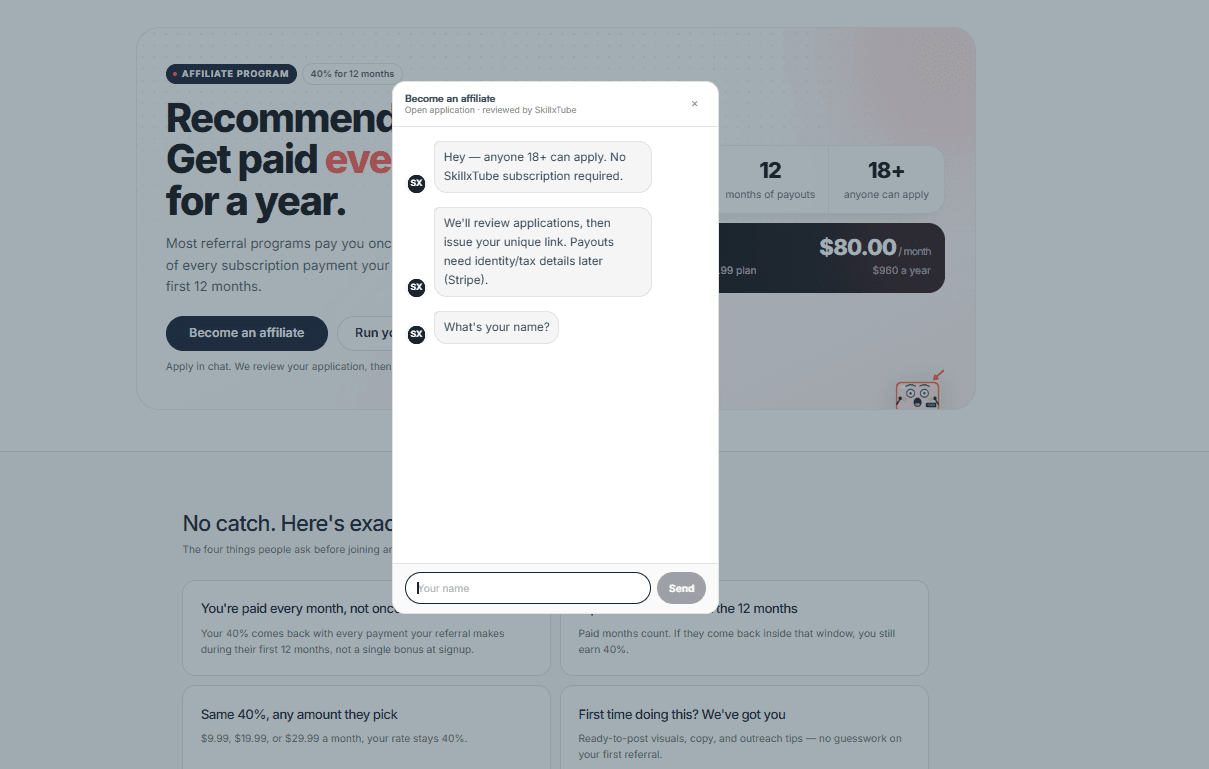
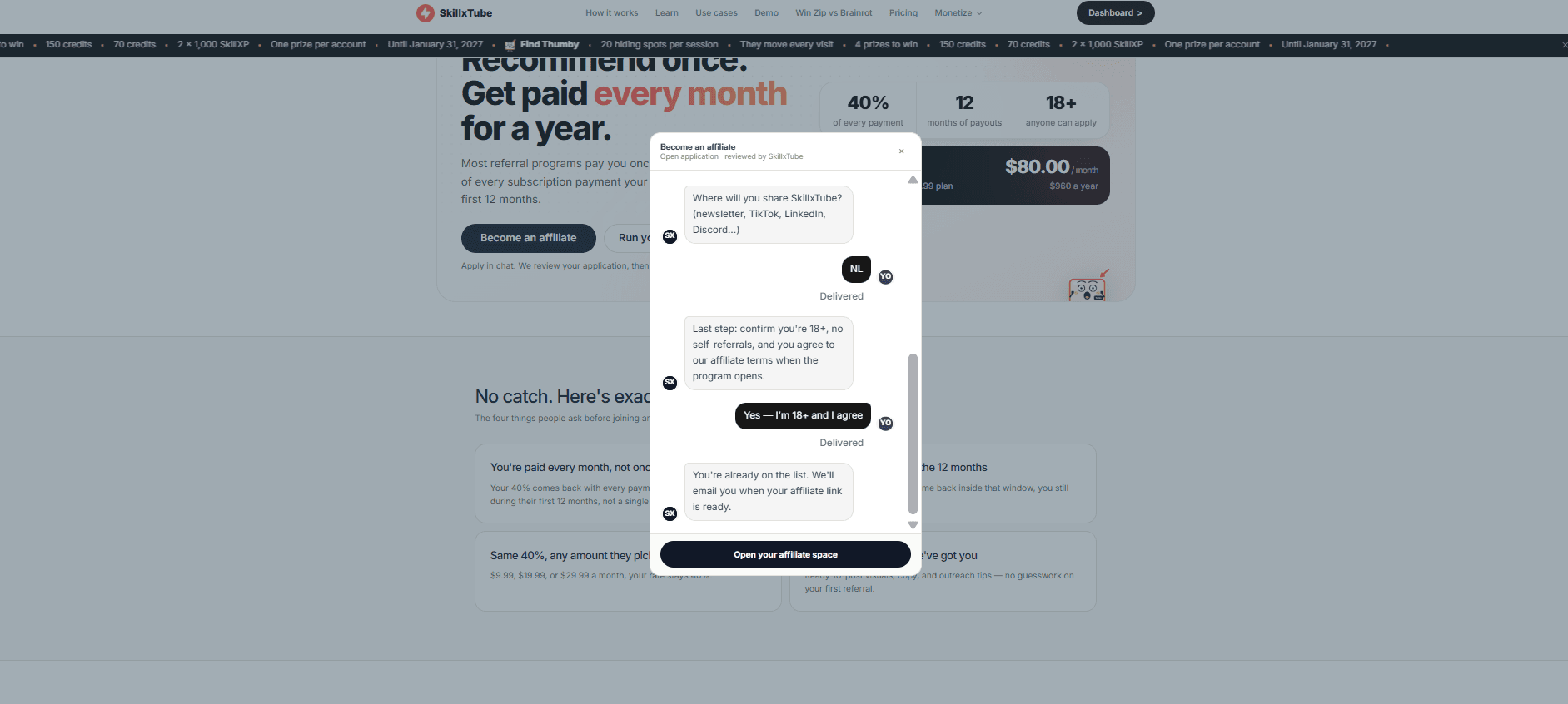
Become an affiliate chat window asking for the applicant's name
1 · the chat starts
End of the affiliate chat, with the 18+ confirmation and the button to the affiliate space
2 · application sent
SkillxTube affiliate space: application under review, clicks, sales, conversion and commissions
3 · the affiliate space
08.1 · Monetization

Advertise on SkillxTube

A low-key brand program: paths stay editorial, brands book logo cells. Footer, app sidebar, channels board, around the Zip vs the Brainrot game.

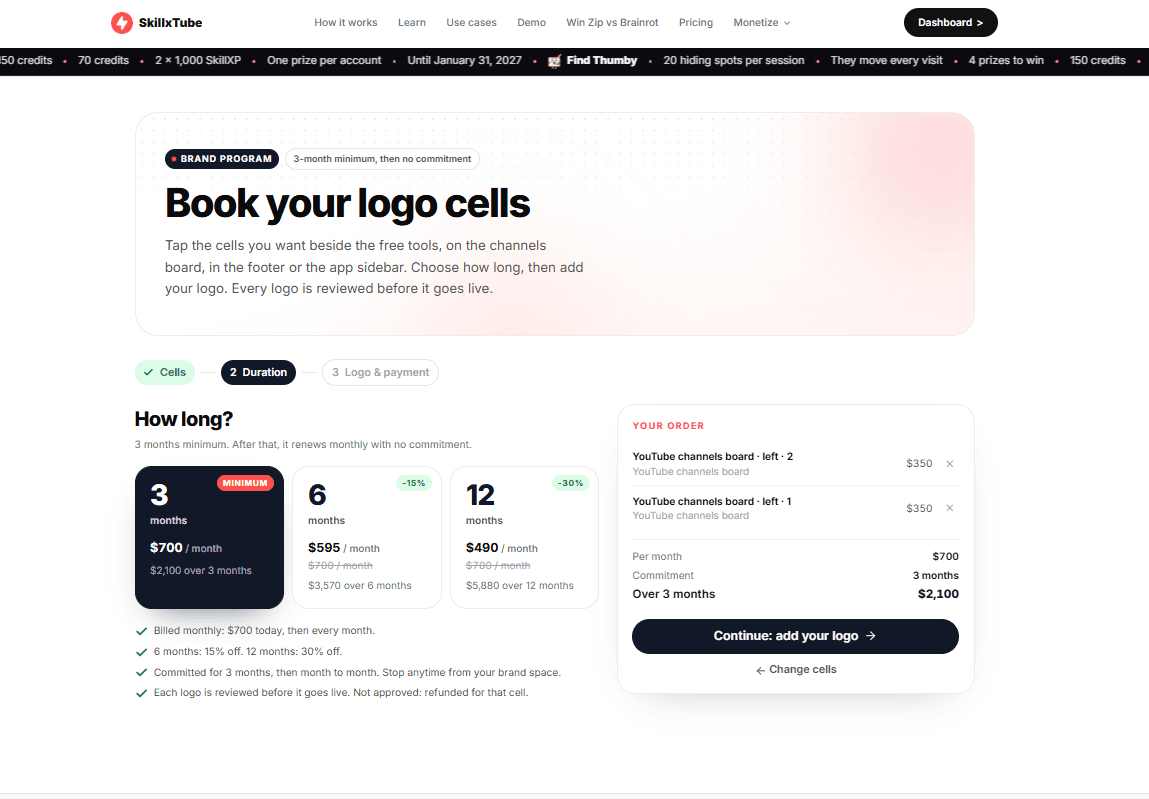
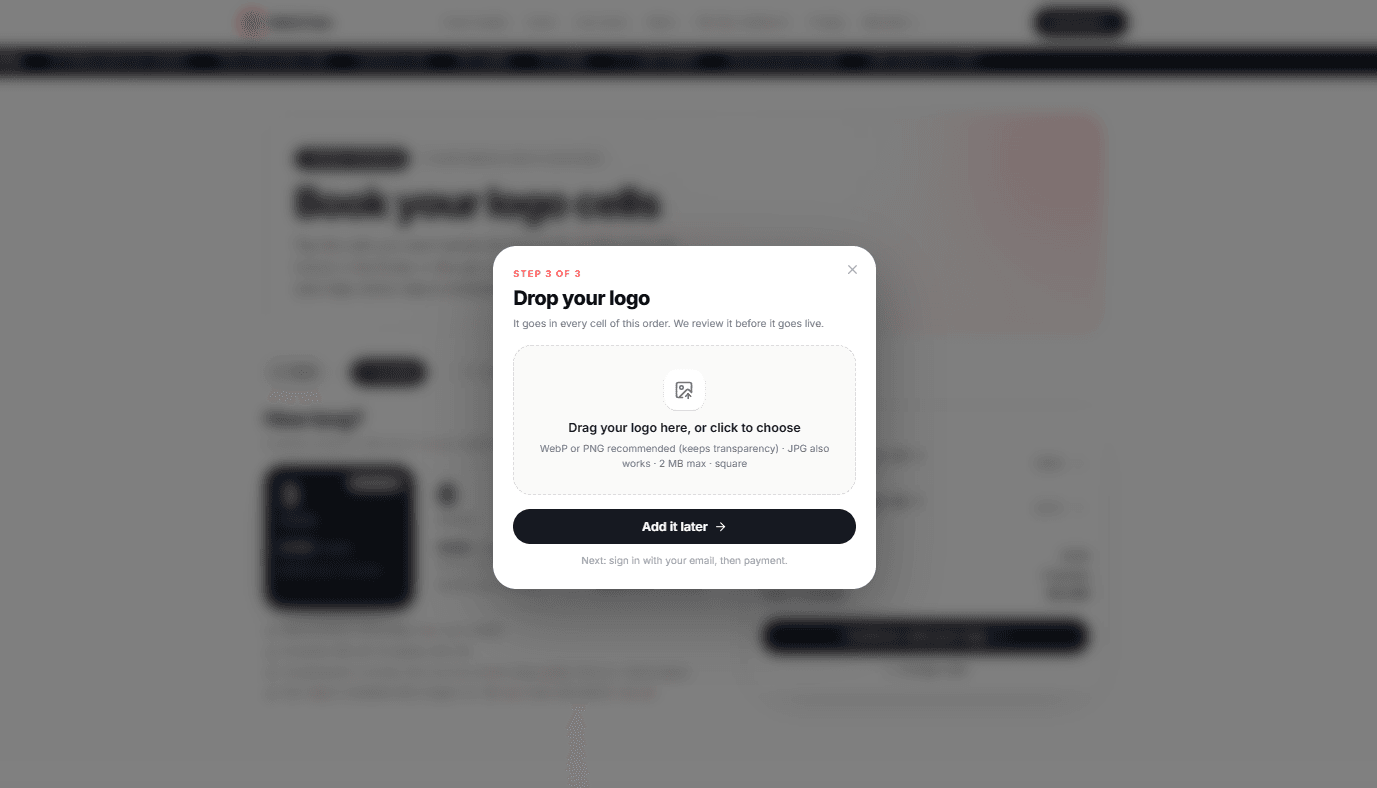
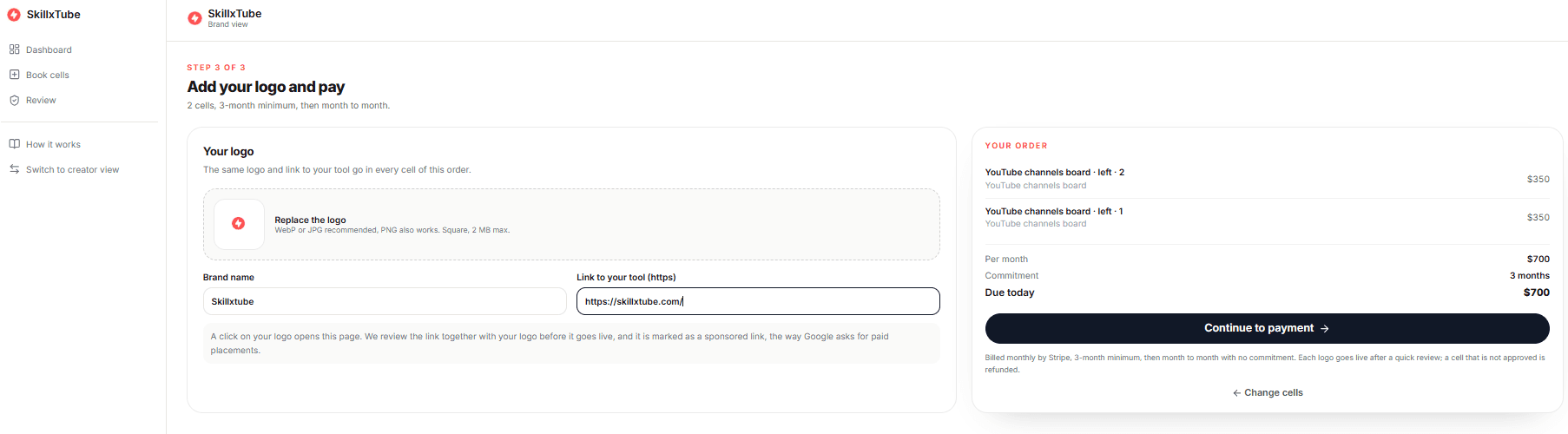
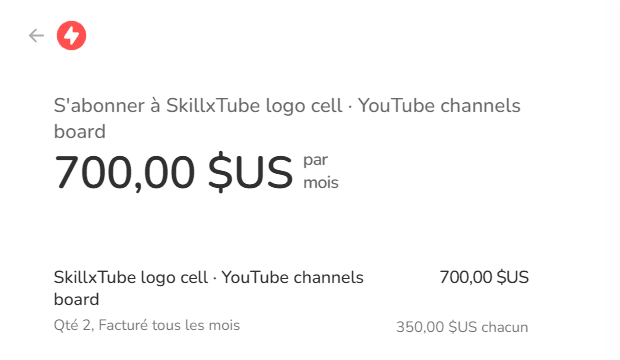
Booking takes three steps on a mockup of the site: click the open cells, choose 3, 6 or 12 months (up to 30% off), drop your logo and link, then pay through Stripe. Every logo is reviewed before it goes live and marked as a sponsored link.
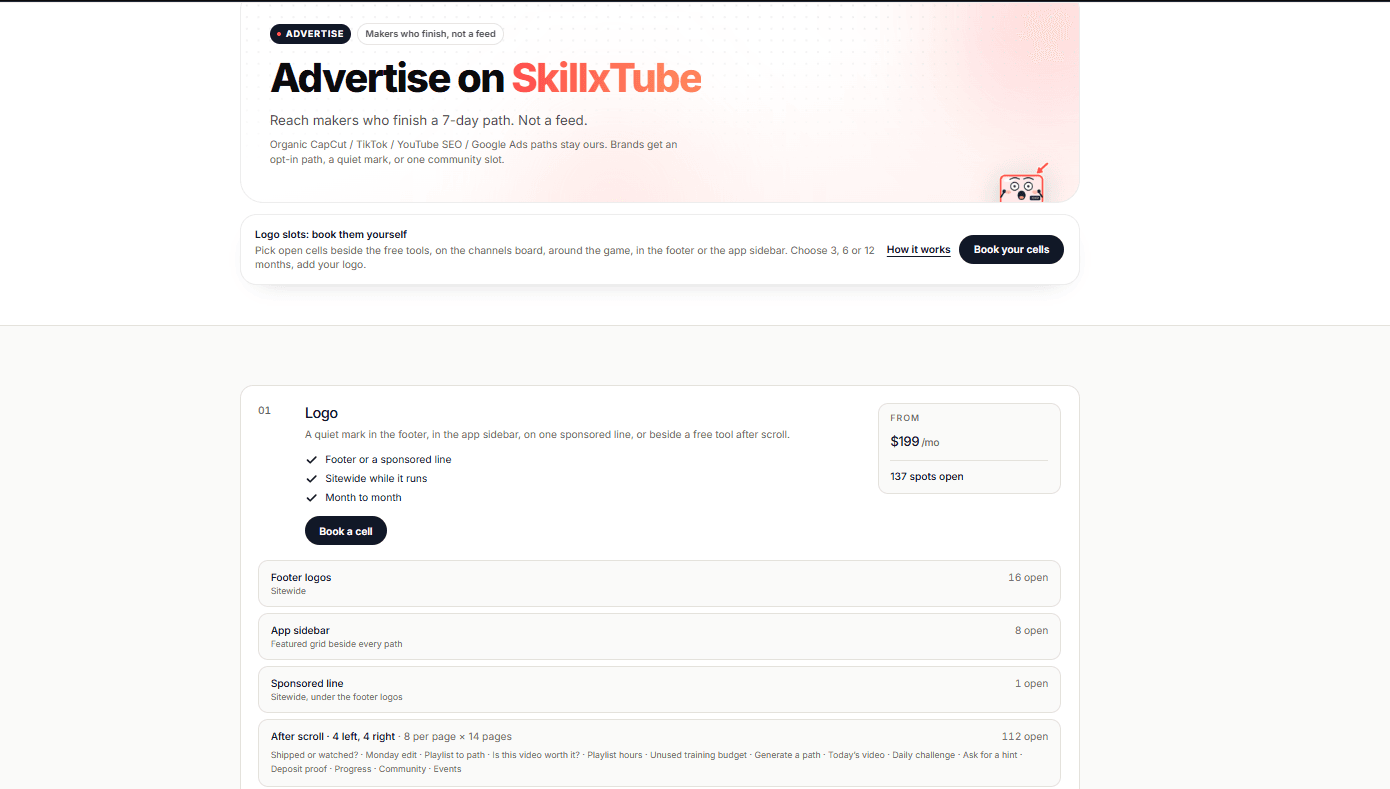
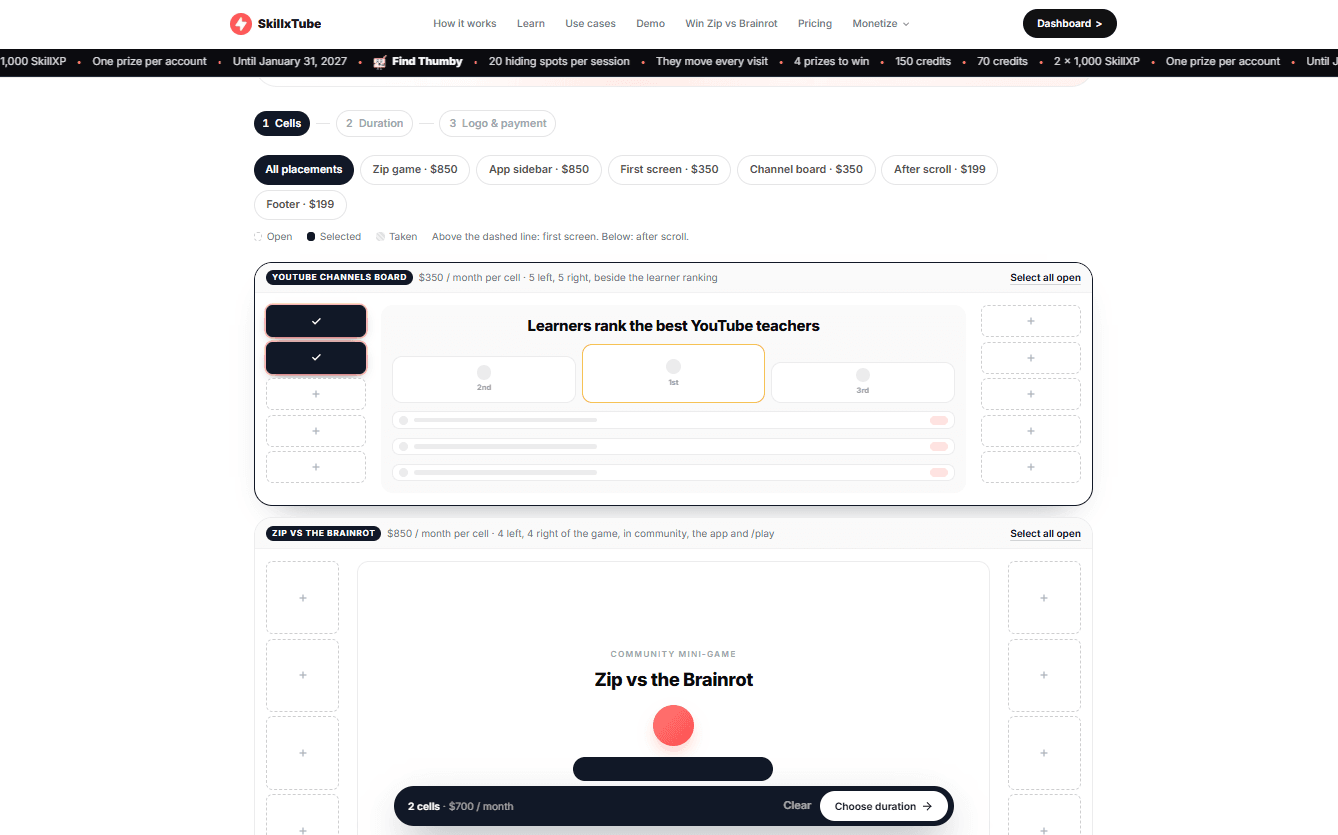
Footer · $199Channel board · $350Zip game · $8503-month minimum
Advertise on SkillxTube page with the logo placements and their prices
0 · Advertise
Step 1: picking cells on the mockup of the channels board
1 · cells
Step 2: a 3, 6 or 12-month duration with discounts, and the summary
2 · duration
Step 3: the Drop your logo window to upload the logo
3 · logo
Brand space: logo, brand name, link to the tool and the sponsored link summary
4 · brand space, sponsored link
Stripe checkout: a $700 monthly subscription for two logo cells
5 · Stripe checkout
09 · Demo paths

Four paths, live

White background, black text, an all-black video player and timeline. For 14 days, the timeline splits into two weeks of seven columns to stay readable.
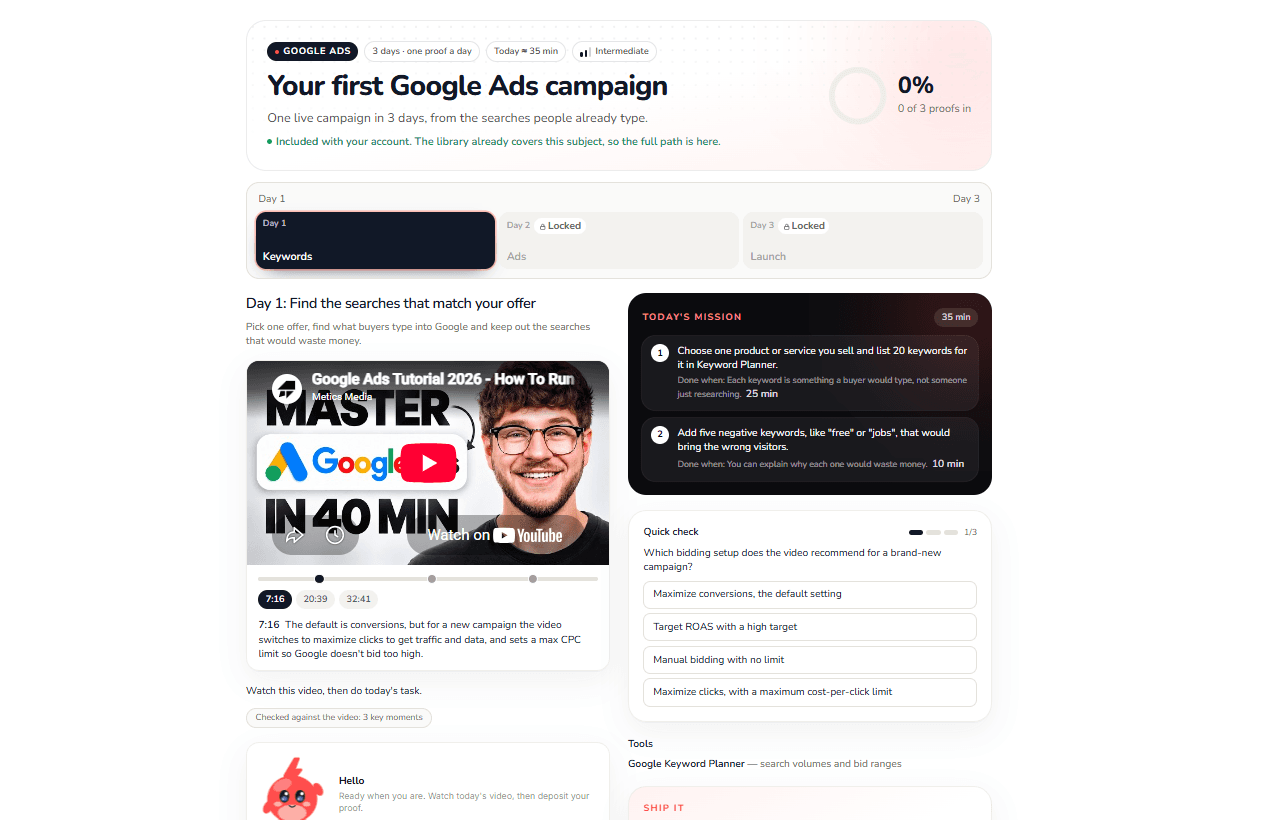
Your first Google Ads campaign path in the app: a day-by-day timeline, a video with key moments, today's mission and a quiz
In the app today. A 3-day Google Ads path: a timeline that unlocks day by day, a video with its key moments, today's mission on a dark card, a quiz and tools.
10 · Character

Zip, the mascot

A small creature whose tuft echoes the logo's bolt. Character sheet, silhouette test, legibility from 96 down to 24 px, 25 reactions, then Zip becomes each learner's customizable avatar. Yellow is deliberately left out of the palette.

See the character sheet
Hello
Day done
Silhouette
Zip becomes your avatar
6 colors, 7 accessories, a mood and a name. The lightning tuft always stays visible.
Nova
Pixel
Mochi
Bao
10.1 · Mini-game

Zip vs the Brainrot

A playable game built on Astrocade: Zip sorts each statement into brainrot or actual knowledge. Six mistakes and it's over.

Embedded in the SkillxTube community space, with Zip wearing headphones: every round won earns 150 SkillXP, with unlimited rounds.
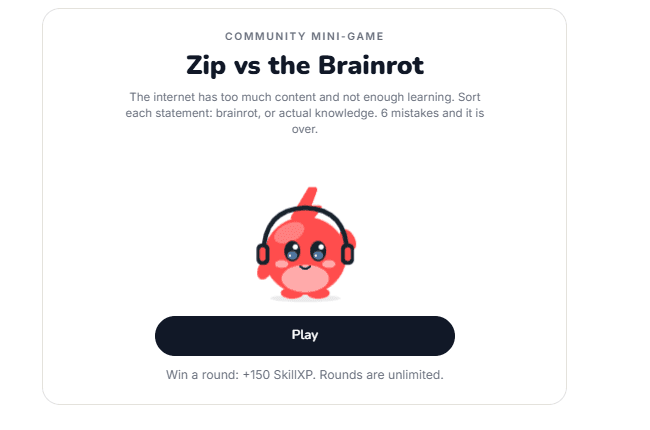
Play on Astrocade+150 SkillXP per round
skillxtube.com · Community
Zip vs the Brainrot community mini-game card in SkillxTube, with Zip wearing headphones
Its own page
Win Zip vs the Brainrot

The game now has its own page: 110 sets of 18 statements, combos up to ×4, a leaderboard of the best rounds and a visible scoring grid. Four $850 logo cells on each side, and a link to install the game app.
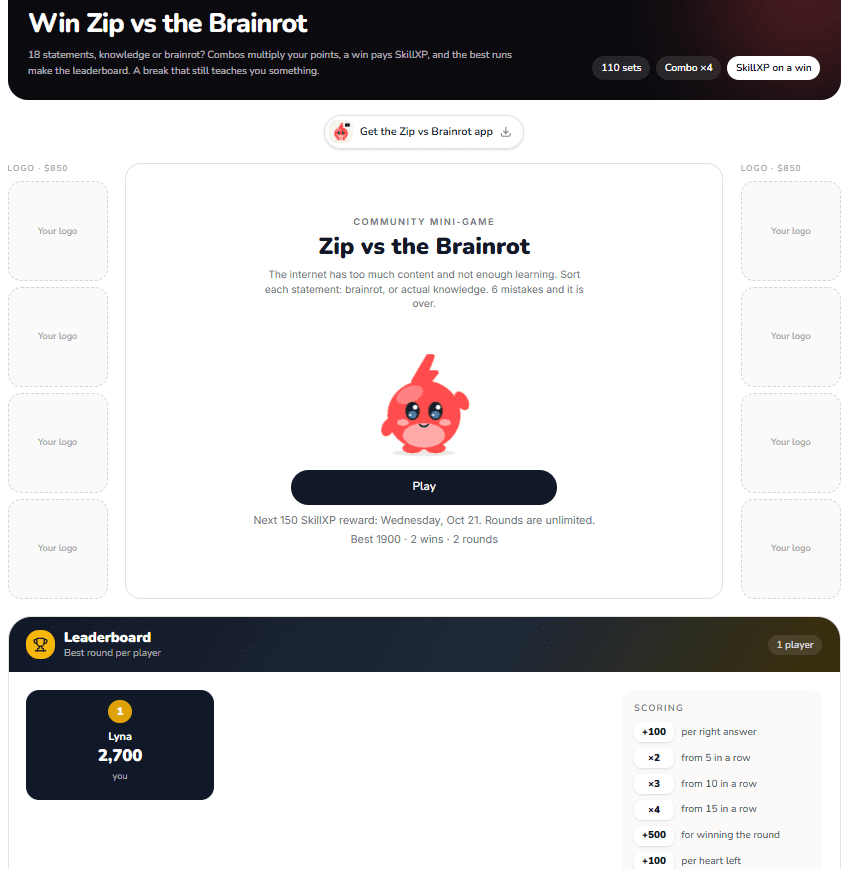
Win Zip vs the Brainrot page: dark header, the game card, the leaderboard and the scoring grid, with logo cells on each side
Running now
Thumby hunt

20 Thumbys hidden per session, moving with every visit, 4 of them with a prize. Quests with progress bars reward SkillXP, until January 31, 2027. A scrolling ticker announces it at the top of the site.
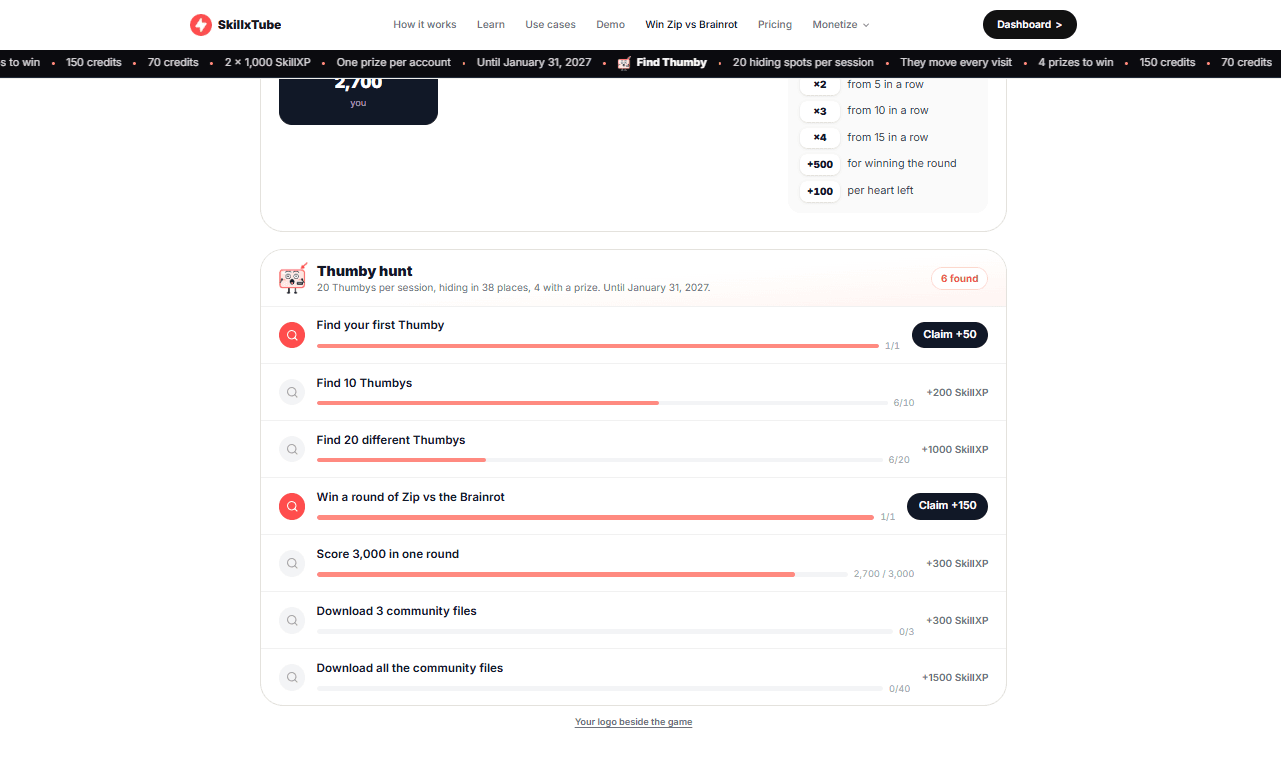
Thumby hunt quests with progress bars and SkillXP rewards
10.2 · Characters

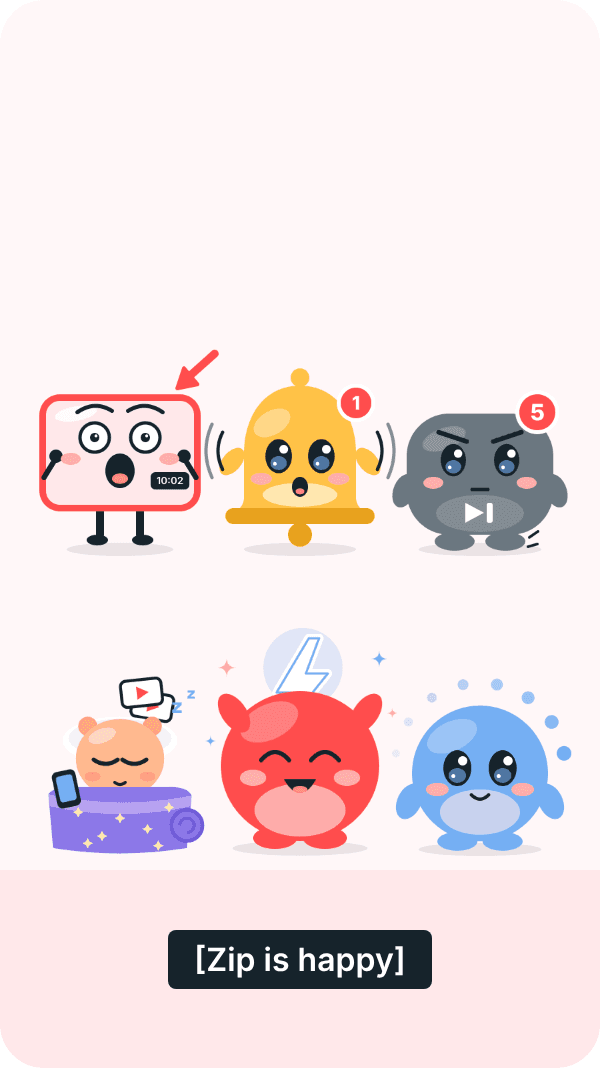
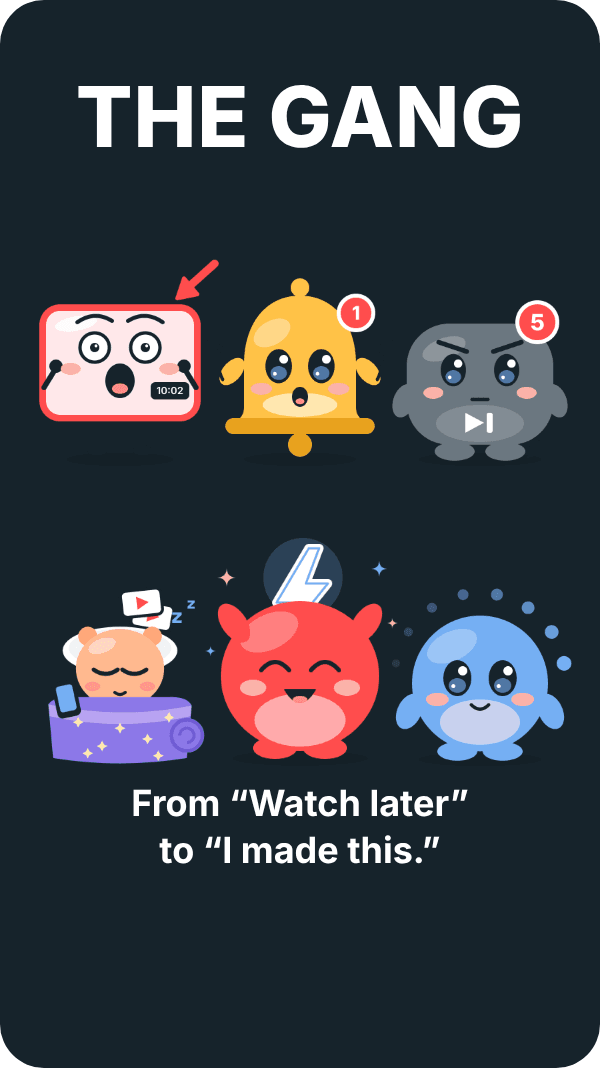
Zip and the gang

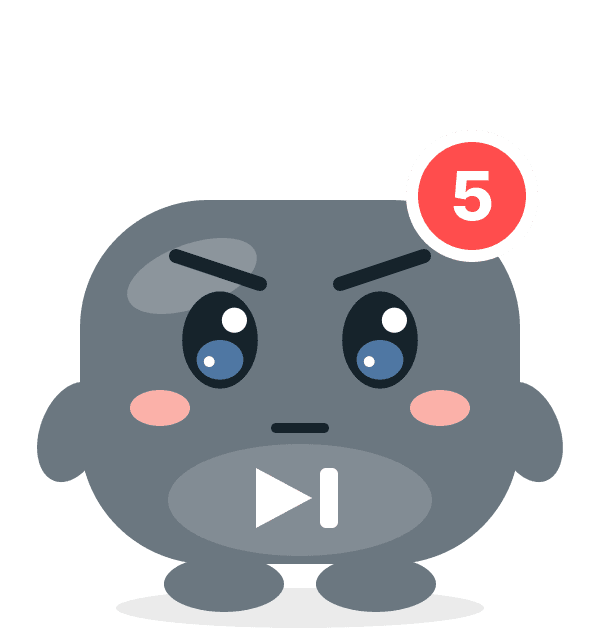
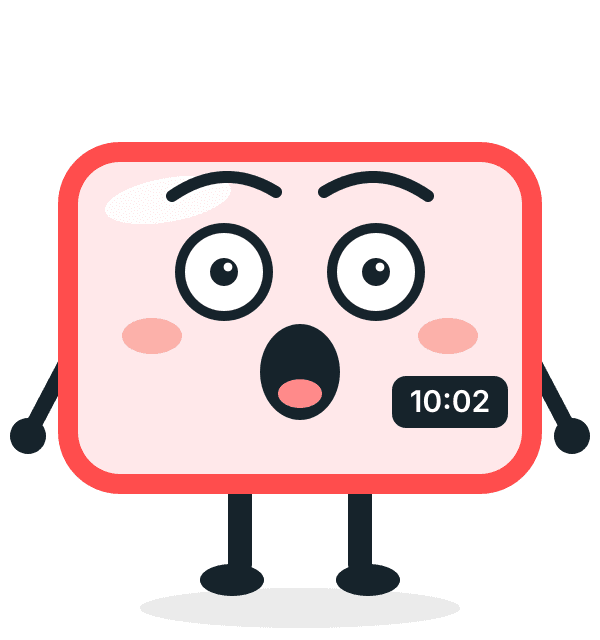
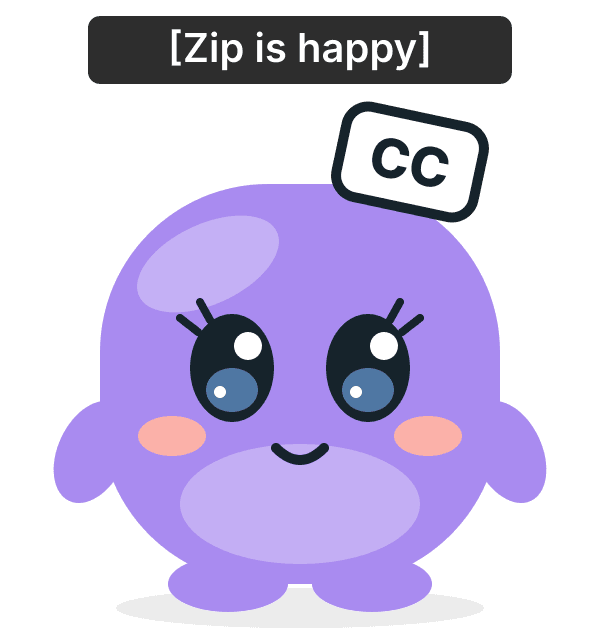
Six characters, six little slices of YouTube life: a flaw you can see, a weakness you can guess, a running gag. Plus CC, who sneaks in. Each character has a sheet (three poses, silhouette, legibility, palette), then a storyboard per episode.


Meet the gang
Zip, the red mascot with a lightning tuft
Zipthe calm center
Turns YouTube videos into real projects. The only one who keeps his cool.
Buffer, the blue loading spinner
Bufferthe loading spinner
Always half a second behind the conversation. Afraid of being a burden.
Ding, the yellow notification bell
Dingthe notification bell
Rings whenever she feels something, so all the time. Afraid of being muted.
Skip, the gray Skip button
Skipthe “Skip” button
Impatient, blunt, can only talk after 5 seconds. Secretly Buffer's big brother.
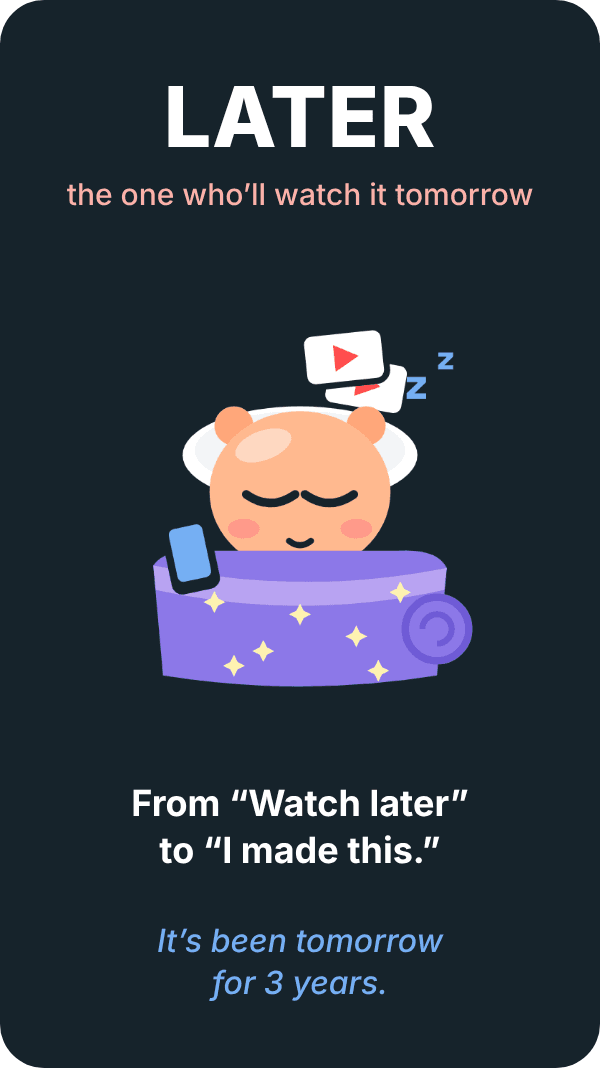
Later, rolled up in his purple duvet with his phone
Laterthe “Later” burrito
Rolled up in his duvet with a stack of videos he'll watch “tomorrow”. Afraid to start.
Thumby, the thumbnail with an O-shaped mouth
Thumbythe shocked thumbnail
Overreacts to everything, mouth stuck in an O. With his mouth closed, nobody recognizes him.
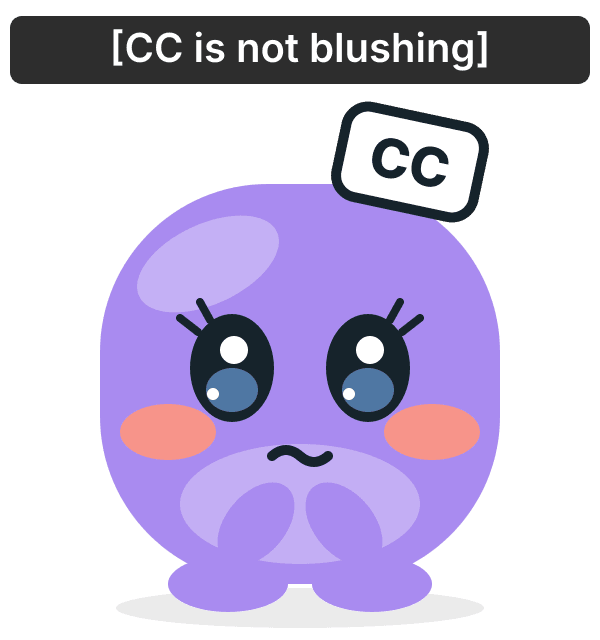
CC smiling, subtitle Zip is happyCC blushing, subtitle CC is not blushing
CCthe subtitles · Zip's crush (secretly)

She captions everything, including what others leave unsaid. Except how she feels about Zip: her own subtitles give her away. Lavender for tenderness and mystery.

She arrives as a riddle: a stray “[Zip is happy]” in episode 7, mysterious subtitles, then the reveal.

Skip and Buffer
Skip secretly looks out for Buffer, and would never admit it.
Ding and Zip
Ding follows Zip everywhere and rings whenever he speaks.
Later and Thumby
The comedy duo: the slow one and the hyper one.
Facing the Brainrot
Each of them gives in a little because of their flaw, never out of stupidity.
10.3 · Social media

Zip on TikTok

Making the mascot go viral with short videos that must never look educational. A broad “relatable YouTube” angle, never preachy, and never putting creators' work down.

Season 0: meet them one by one
Seven Shorts: Zip meets one friend per episode (Thumby, Ding, Skip, Later, Buffer), then the gang comes together.
POV series
Situations every YouTube viewer has lived through, made to get friends tagged.
“Zip watched it so you don't have to”
Zip sits through 10 hours of fireplace, you keep the verdict.
22 to 28 sVertical 9:16Works with sound off7 storyboards
From “Watch later”
to “I made this.”
The sign-off line of every Short.
Episode 5 end card, Later: It's been tomorrow for 3 years
Ep. 5 · Later
Episode 7 group shot with the first mysterious subtitle Zip is happy
Ep. 7 · CC's teaser
Episode 7 end card, the whole gang together
Ep. 7 · the whole gang
11 · Content

73 resources in their space's colors

PDF guides, PNG diagrams, Excel workbooks and code files across ten spaces. Each space signs its footers and diagram headers with its own accent color. In the workbooks, input cells are yellow and everything else is calculated.

Guide · PDF
Diagram · PNG
Workbook · XLSX
route.ts
export async
POST(req)
Code · TXT
11.1 · Demo video

SkillxTube in 35 seconds

“You wanted to learn.” Then a path generated in a few clicks, and the promise: daily actions, not more videos.

11.2 · Free tools

Free tools: one result a day

Calculators, not lead magnets: no account, no YouTube fetch. Each one gives a score or a verdict, then points to a matching path.

Open the free tools
11.3 · Guides

Guides: X is not Y

Each guide turns a habit into a clear distinction, then gives a side-by-side table, a “Do this tonight” list and a “Common mistake” box.

12 · Side project

RankBid.Body

Live auctions for ad spots placed on a body, front and back. Built in one hour as static HTML, then reworked: parallax tilt on hover, a light sheen, raised anatomical pins, zoom and pan.

It started with the outbid.lol trend on X (Twitter): I built my own take on it before refocusing on SkillxTube. The idea stayed. Bidding for visibility shaped SkillxTube's Advertise program, which is why it earns its place in this portfolio.

123
FrontBack
Spot 01 · Chest
Current bid
[$ amount]
−[your bid]+
Outbid and claim
Highest bid holds the spot until someone outbids it.
13 · Behance

Other AI products

View on Behance
14 · AI use cases

What AI can already do for EdTechs

Real-life use cases written for EdTech companies on my former site, each produced with generative AI: 3 clicks, less than 5 minutes per document, 2 tools. The point: show what AI can already do in education.

Method

See it before you code it.

01
Reference
A site that already does it well, for its structure, never for its language or colors.
02
Preview HTML
Often in several variants with a switcher to compare.
03
Verdict
Too busy, too generic, not pro enough: start over until it's a yes.
04
Prompt Cursor
Targeted files, enforced guidelines, preview review before production.

SOMETHING IN MIND?

Let's build the next one.

hello@angelinepoitout.com

NEXT PROJECT